Available now · part of the Team plan
Meetings with purpose
A leadership group does most of its work in its meetings. Each item states the outcome it needs and the team task it serves. The meeting runs live on every member’s screen, and ends with a written summary.
What it brings
- For you
Meetings you can prepare for
- Every item says what it needs and who owns it.
- Your open actions wait beside the next agenda.
- You follow the live meeting on your own screen.
- For the leadership group
Time spent on what matters
- The time check shows when the agenda overruns the slot.
- An item that matches no team task is flagged before the meeting.
- Anyone can say the meeting is off track, without a name.
- For the organisation
Decisions on record
- Each meeting ends with its decisions, actions and parked topics.
- Items carried over move to the next meeting, so nothing is lost.
- The leadership group’s time goes to the tasks only it can do.
How it works
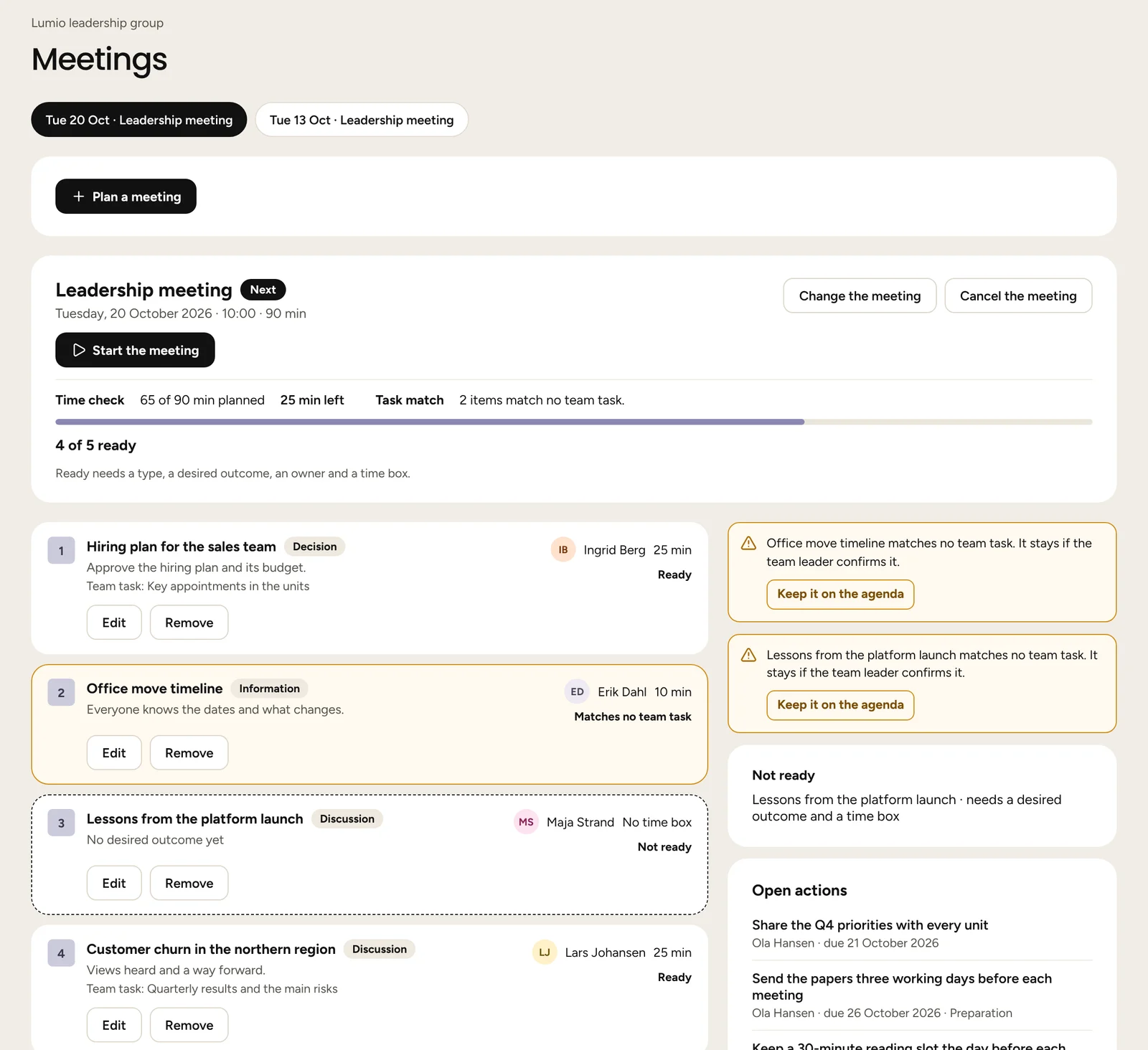
An agenda that is ready
Any member proposes an item. It is ready with a type, a desired outcome, an owner and a time box. The time check adds the minutes against the meeting’s length.
- An item that matches no team task is flagged. It stays if the leader confirms it.
- Every open action of the group appears beside the next agenda.
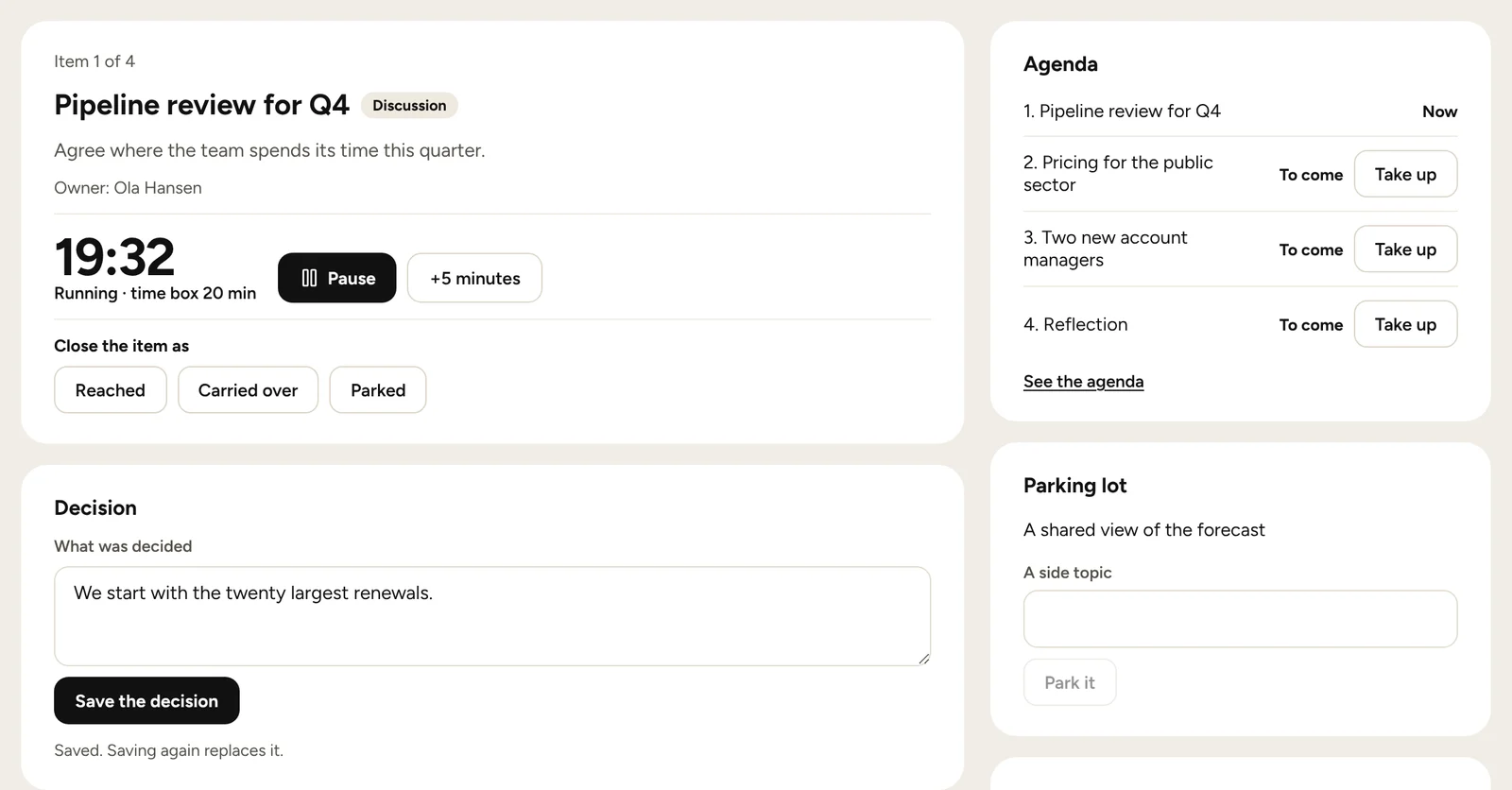
The live meeting
The leader starts the meeting and takes it item by item, with a timer for each time box. Every member sees the same item on their own screen, in sync.
- Anyone saves a decision, adds an action or parks a topic.
- Process comments carry no name. They open only when enough members are online to keep the sender hidden.
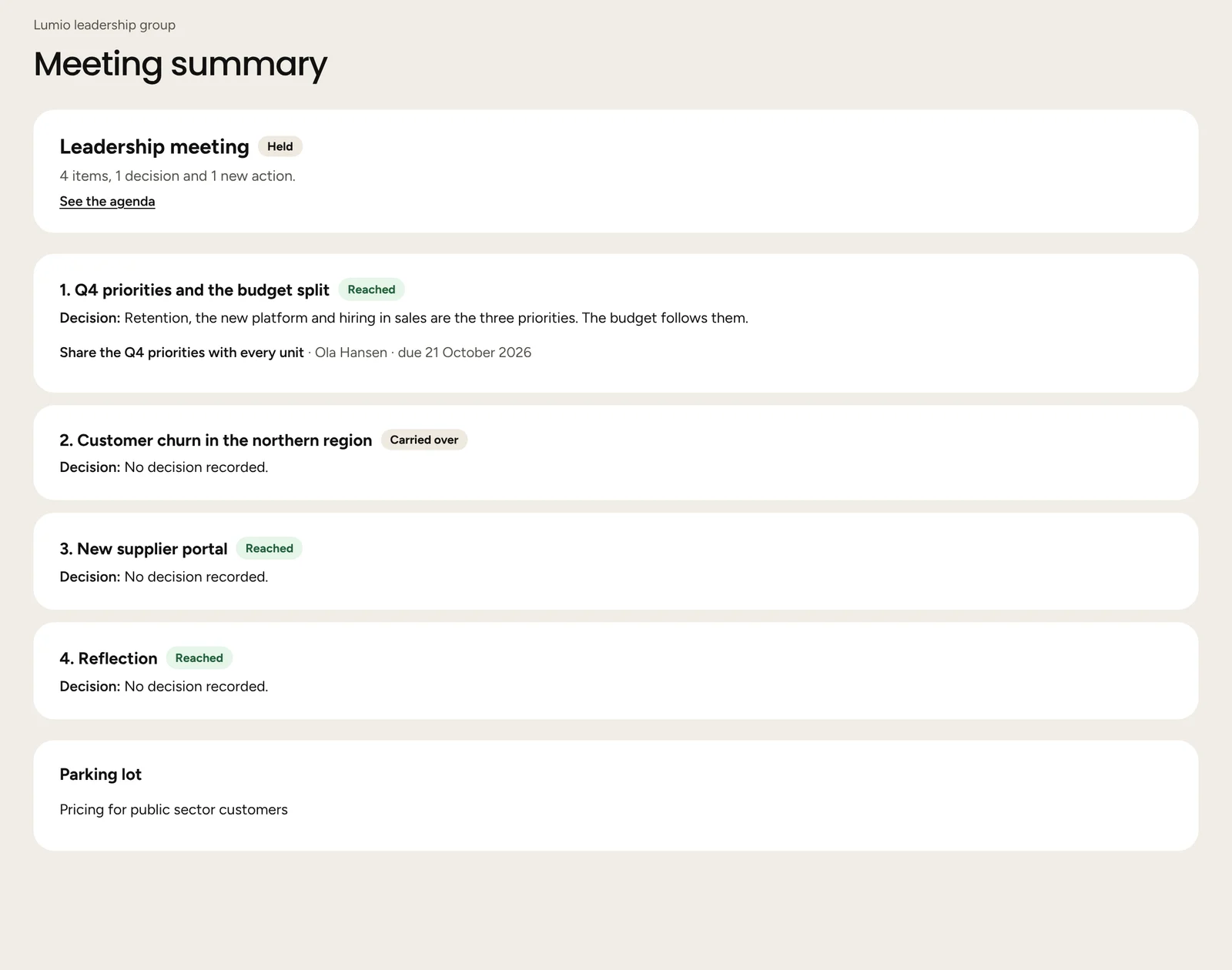
The summary
When the leader ends the meeting, the summary lists each item as it closed, with its decision and its actions. Items carried over go to the next meeting.
- Topics parked during the meeting stay in the parking lot.
- Process comments are deleted when the meeting ends.
Before, during and after
- 1
Prepare
Members propose items with an outcome, an owner, a time box and a team task.
- 2
Run
The leader takes the items in turn, and everyone sees the same one.
- 3
Record
Decisions, actions and parked topics are saved as the meeting goes.
- 4
Carry
Open actions and carried items move to the next agenda.
The article on the leadership team meeting agenda covers item types, desired outcomes and time boxes, with an example.
Questions and answers
- Who can add items to the agenda?
- Any member proposes an item. Its proposer, its owner or the leader can change it.
- What is a team task?
- An issue that belongs to the whole leadership group, written in its charter with a decision right. An item that matches none is flagged.
- Can anyone see who sent a process comment?
- No. A process comment carries no name and no time, and it is deleted when the meeting ends.
- What happens to items we did not reach?
- An item closed as carried over moves to the next planned meeting. Items not closed show as not reached in the summary.
- How does a group get meetings?
- Meetings are part of the Team plan. A group’s leader can start a 14-day trial in the app, with no billing details.
More of the platform
- Leadership Team ScanTwelve questions in three minutes, and one link for the group.See how it works
- Team viewLevel and agreement per theme, for the whole group at once.See how it works
- Leader ProfileA private Big Five profile, shared only if you choose.See how it works
- Charter and membersPurpose, team tasks and working agreements, with versions.See how it works
- Full diagnostic72 statements across 21 scales and 3 outcomes, with results in three depths.See how it works
- Focus areas and actionsTwo scales at a time, with actions that have an owner and a date.See how it works
- PulsesAt most ten questions every few weeks, with change shown from 0.6.See how it works
Read next
- Leadership team meeting agenda: how to build one that worksHow to build a leadership team meeting agenda: item types, desired outcomes, owners, time boxes, pre-reads and typical topics, with an example.Read the article
- How do you write a leadership team charter?What goes into a leadership team charter, what research says about charters and team launches, and how to write one together.Read the article